

Turn videos into GIFs that fit.
Set the size you need. Keep the moment you want. ToGIF handles the careful trade-offs between motion, color, and file size — entirely on your Mac.
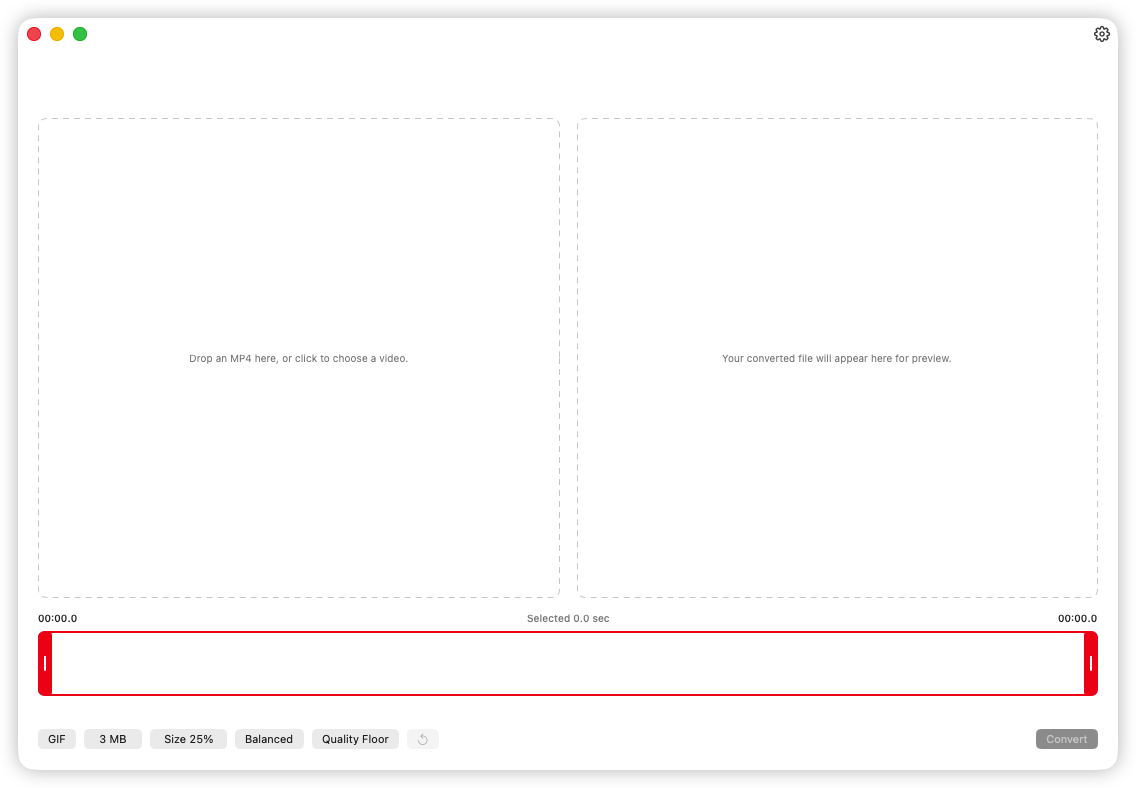
How to use ToGIF
- 01
Drop in an MP4
Choose a file with the native picker or drag it straight from Finder.
- 02
Keep the right moment
Use the frame timeline and two handles to select the exact part you want.
- 03
Set and export
Choose GIF or Animated WebP, a target file size, visual preference, an explicit crop mode, and proportional scale, then preview the encoded result and save it to your Mac.
Supported scope
- GIF and Animated WebP
- Export the familiar compatibility of GIF or the compact color and quality of Animated WebP from the same focused workflow.
- Aim for a real file size
- Choose a target from 0.1 to 50 MB. ToGIF encodes complete candidates and checks the actual bytes, not an estimate.
- Crop when you choose, never stretch
- Crop freely or choose 1:1, 5:4, 4:3, 3:2, or 16:9 in landscape or portrait, then scale proportionally from 1% to 100%. ToGIF never enlarges, distorts, or silently crops your video.
Pricing
ToGIF for Mac
One-time purchase on the Mac App Store. No subscription.
$4.99
- Purchase once, with no recurring subscription.
- Convert videos locally without uploading your media.
- Export GIF and Animated WebP with target-size controls.
Frequently asked questions
Download
ToGIF for Mac
Convert MP4 videos to GIF and Animated WebP effortlessly on your Mac.